Showing posts with label tips. Show all posts

Sunday, March 22, 2009

How to Download from pz10.com

Yet another very good, but not very popular resource of hindustani classical music is pz10.com (the pz stands for Punjabi Zone). The reason it being not too well known in the classical music circuit is, it's rather unfriendly interface and strange indexing system. But, once you get the real feel of the site it could prove to be a true bonanza to all music lovers. One good thing about this site is that it streams it's music in both .wma and .mp3 formats. Moreover, the mp3s are of 128 Kbps (near CD) quality, which is good enough reason to download from this site.


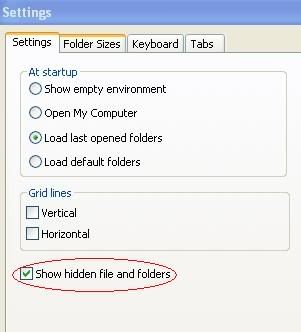
To music lovers for whom retrieving music from the Internet Explorer Cache is becoming a habit, I recommend they install ExploreXP (click here to download), a very small and free alternative to Windows Explorer which is easy to setup and can be configured to view all hidden and system files. Moreover it lets you view the filesize in Bytes rather than KBs which is the standard view in Windows Explorer.

ExploreXP settings :


Before attempting to download, clean your Internet Explorer cache completely, by either using the standard method of Start > Programs > Accessories > System Tools > Disk Cleanup, or by using an utility like CCleaner or even Index.bat (a batch code written by me for those who know their way around with the Command Prompt and Safe Booting).

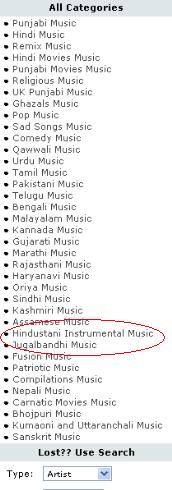
Visit the music section of pz10.com. Click on the Hindustani Instrumental Music (its more than just instrumental really), and then on the View / Browse All Hindustani Instrumental Music Albums (or simply click here).


Choose the album you want to download.
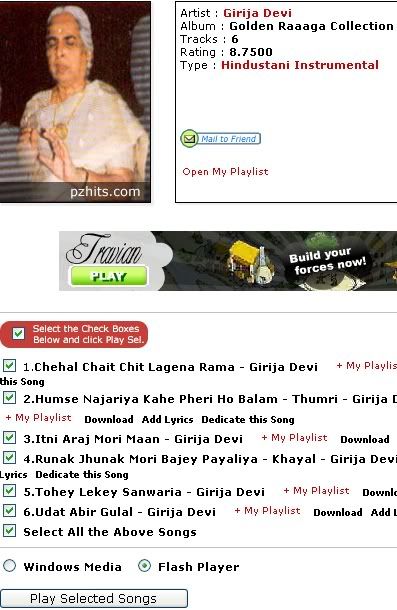


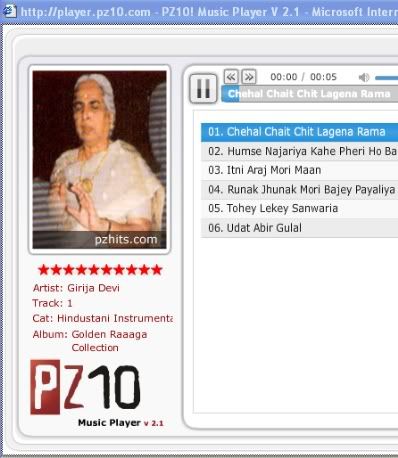
Choose Flash Player, Select All Songs and click on the Play button. Let the songs play to their full length.


Inside the IE Cache, the song file will start to grow as it plays on :
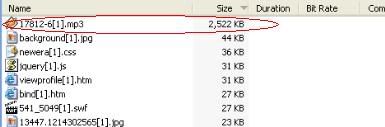


After the caching is complete :
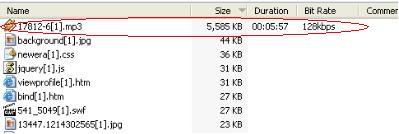


Retrieve the songs from the Internet Explorer Cache. ExploreXP will help you to do it with ease.

Another way to download is to search for flash[1].htm file in the cache which is the playlist file (this is tricky because sometimes it could be a jumbled 8 character name like CAX8KNTH.htm). If you are using the Windows Media Player as your player option, the playlist file will be named playlist[1].htm.
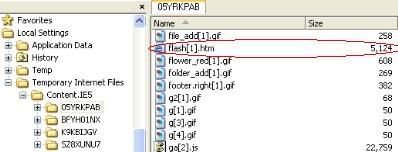


Open the file in notepad and copy the song URL (highlighted part) which looks like this :

[http://media.cdn.pz10.com/mm6/files/40/17812/17812-1.mp3 ?voxtoken=9c7c035c20238f84ff7b85b7b882ce65d204e35f]

Use a downloader like Flashget to download the file.

Note: The voxtoken=(+ a combination of letters and numbers) is a part of secure webcasting code by Voxel meant to prevent the users from downloading the music. As the voxtoken code changes every time you load the player, so does the URL of the song, preventing people from posting the songs on their blogs or elsewhere. This means, the URL is good enough for single use only.

The pz10.com team has a sense of humor too. An attempt to open the flash.asx (seemingly a playlist file, the path is mentioned in flash[1].htm), will give you this mocking message :

NO SOUP FOR YOU SHAME SHAME!!!!

Well, here is a spoonful, (of soup ?) for everyone to savour.

Girija Devi - Humse Najariya Kahe Pheri - Thumri :  (Download)


Apart from a sizeable collection of hindustani classical music, pz10.com also has a good number of regional songs including Bhojpuri and Rajasthani folk.

Enjoy !!

Thursday, February 28, 2008

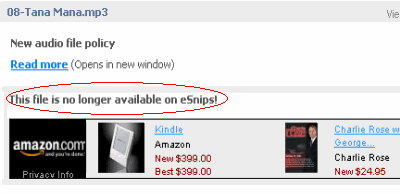
This file is no longer available on eSnips!

These days eSnips seems to be getting paranoid about letting users to both upload and download music files (mp3 in particular, as other formats are still left untouched). Everytime you attempt to play a music file you more often than not, will get a message :

Maximum daily bandwidth exceeded

The maximum daily bandwidth for this account has been reached. Please try to download this file another day.

Thank you,
The eSnips Team.


The next day you will probably see the same message (I've been trying to download a file from an user's folder for the last ten days and getting this same message again and again and everyday). I have not been able to find a way out for this problem till today.... but I'm trying.

When you try to upload a music file (try recording a sound file of your own voice and uploading it) you invariably will be refused to upload it (publish it, as people at eSnips call it) citing copyright infringement laws, but only when the file has almost uploaded fully and not at the beginning when the upload starts.

This could be very frustrating for many of us. Imagine an user uploading a 50 MB file and tearing his hair when he gets this message, only after the upload is almost done. However, there are ways to circumvent these glitches as eSnips is presumably using a software called 'Audible Magic' which scans each music file for copyright fingerprints. However, even my not-so-techy mind knows, these fingerprints are embedded in the mp3 file in the form of ID3 tags either in beginning of the file or at the end of it. Try trimming the mp3 a few seconds at the beginning and a couple of seconds at the end, and if luck is on your side you may probably hoodwink the software in letting you upload.

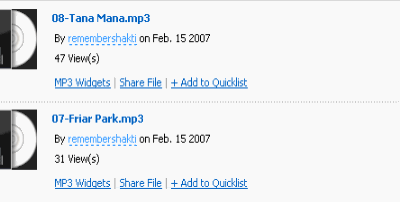
Recently I was searching a Ravi Shankar file at eSnips and I got as far as finding the file with all the details of it (file size, no. of views and all) intact :


But on attempting to play the file I got this :

This file is no longer available on eSnips!


Well, my abnormally inquisitive mind told me that the file was there at eSnips allright, as even the file size was showing, so I just modified the 'doc' to 'nsdoc' in the address bar and pressed 'Enter'. Lo and behold my file was ready for download.


I am sure something is bugging eSnips which I fail to understand (maybe copyright authorities have tightened their noose around it). But why employ such methods to block files, which are so easy to exploit.

Meanwhile happy downloading !!

Thursday, December 06, 2007

eSnips : Download problem solved

Since yesterday I have been flooded with queries about the missing 'download' button and an easy way to dupe eSnips into letting all users to download mp3 files freely. I posted a few tips & tricks to download music files, button or no button. After posting these tips I was still uncertain whether all users would go as far as searching the Cache of Internet Explorer or even downloading Flashget and follow the instructions given in the post.

As most of us are not techies or for that matter even computer savvy, I pursued in my quest to find an easier way out and make things easier for fellow eSnippers. At last I discovered a big security lapse at the eSnips server.

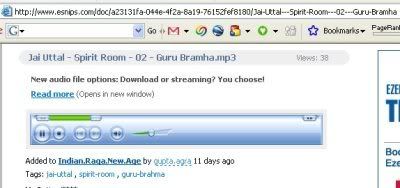
Now as you open an user's music folder you need to click on the music file you want to play. I presume that most of you want that file to play in a new window but many of you just click the link and the player opens up in the same window. In both the cases the window will look like the image given below :


As you can see the URL in the Internet Explorer or Firefox address bar looks like this :

http://www.esnips.com/doc/a23131fa-044e-4f2a-8a19-76152fef8180/Jai-Uttal---Spirit-Room---02---Guru-Bramha

Now click your mouse in the address bar itself and change doc (after http://www.esnips.com/) to nsdoc and remove the name of the file (including the slash), in this case : /Jai-Uttal---Spirit-Room---02---Guru-Bramha. Your modified URL in the address bar will now look like this (you may check out this trick by clicking on the following URL ):

http://www.esnips.com/nsdoc/a23131fa-044e-4f2a-8a19-76152fef8180

Now just press Enter. Lo and behold your file is ready for download. No need for downloading Flashget or searching fervently for your needed file in the ever bloated Internet Explorer Cache.

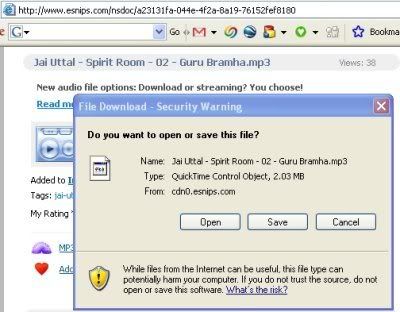
You will see this window after you press Enter :


This window will inadvertently remind you of the good-old-days of the green download button and may drive you to nostalgia. Just click on Save and watch your mp3 being downloaded as before.

Good old downloading days are here again .... till eSnips catches up with this too.

Listen to this same song while you watch your file being downloaded :


P.S : For those who are still experiencing problem in downloading (mainly those who are complaining about their files opening in an embedded player), I have hurriedly made a 'eSnips Downloader' that does all the work for you. See link in the side bar.

Enjoy !!